A better way to celebrate
One gift.
Everyone’s heart.
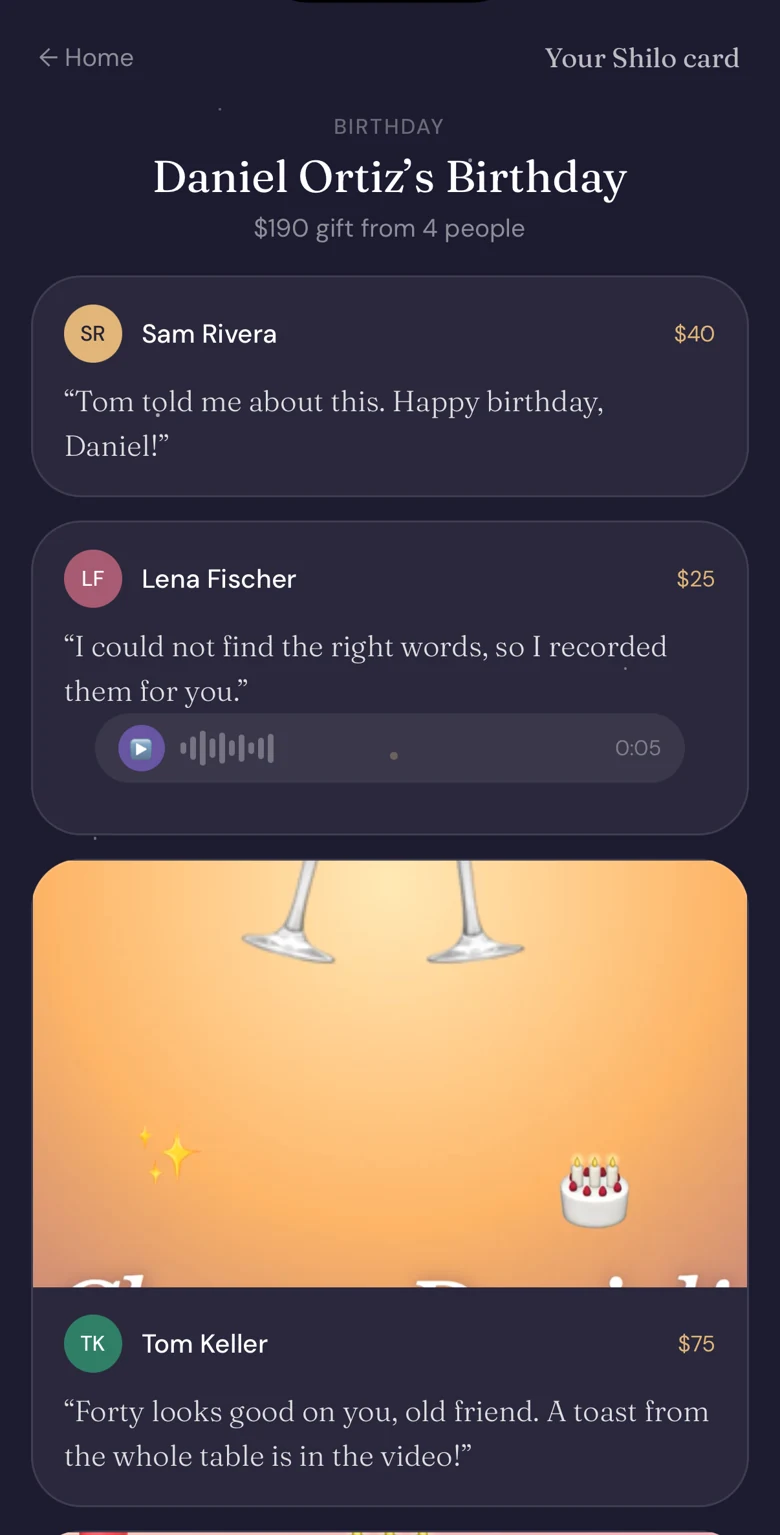
Bring everyone’s gifts, messages, photos and videos together in one beautiful card. Make someone feel truly celebrated.
A link and a code for your guests. A lovely surprise for them.
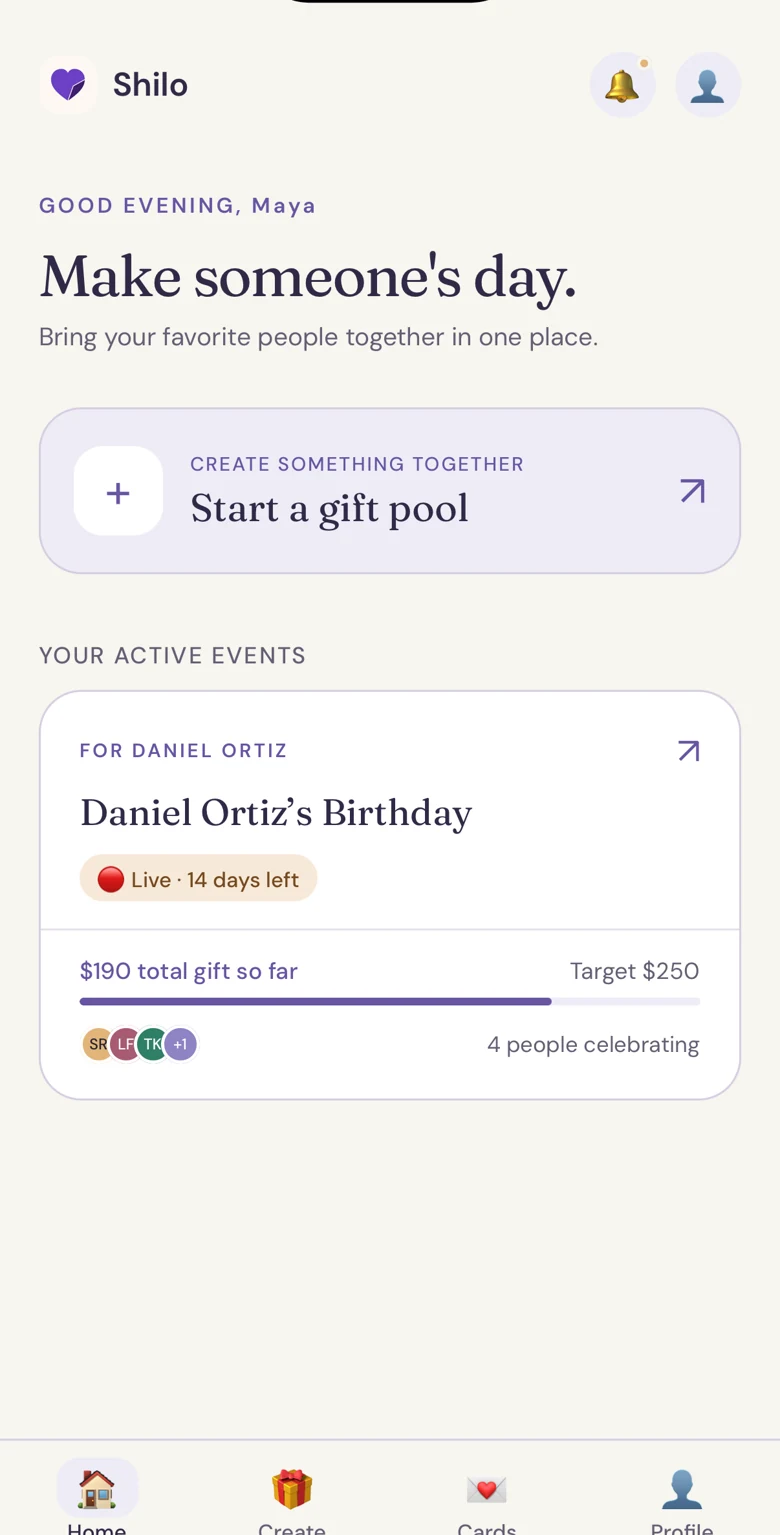
 A little more personal.
For the big days.
And the people who make them.
A few simple steps. A whole lot of love.
You bring the people.
Shilo brings it together.
One person organizes. Everyone can be part of it.
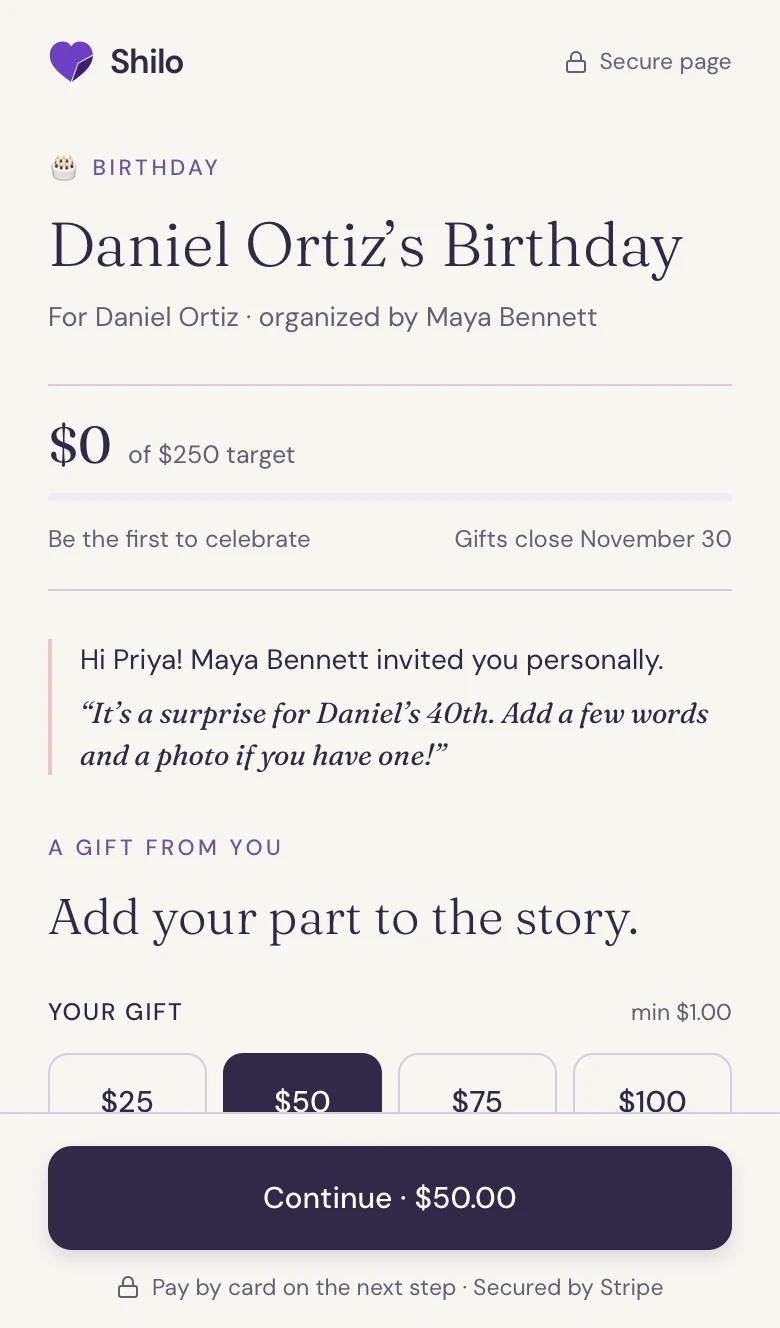
No app or account needed for guests.
One shared gift. So many personal touches.
More than
“from all of us.”
The photo that makes them laugh. The story only you remember. A familiar voice saying something lovely.
There’s room for everyone’s own little touch.
A little note from you
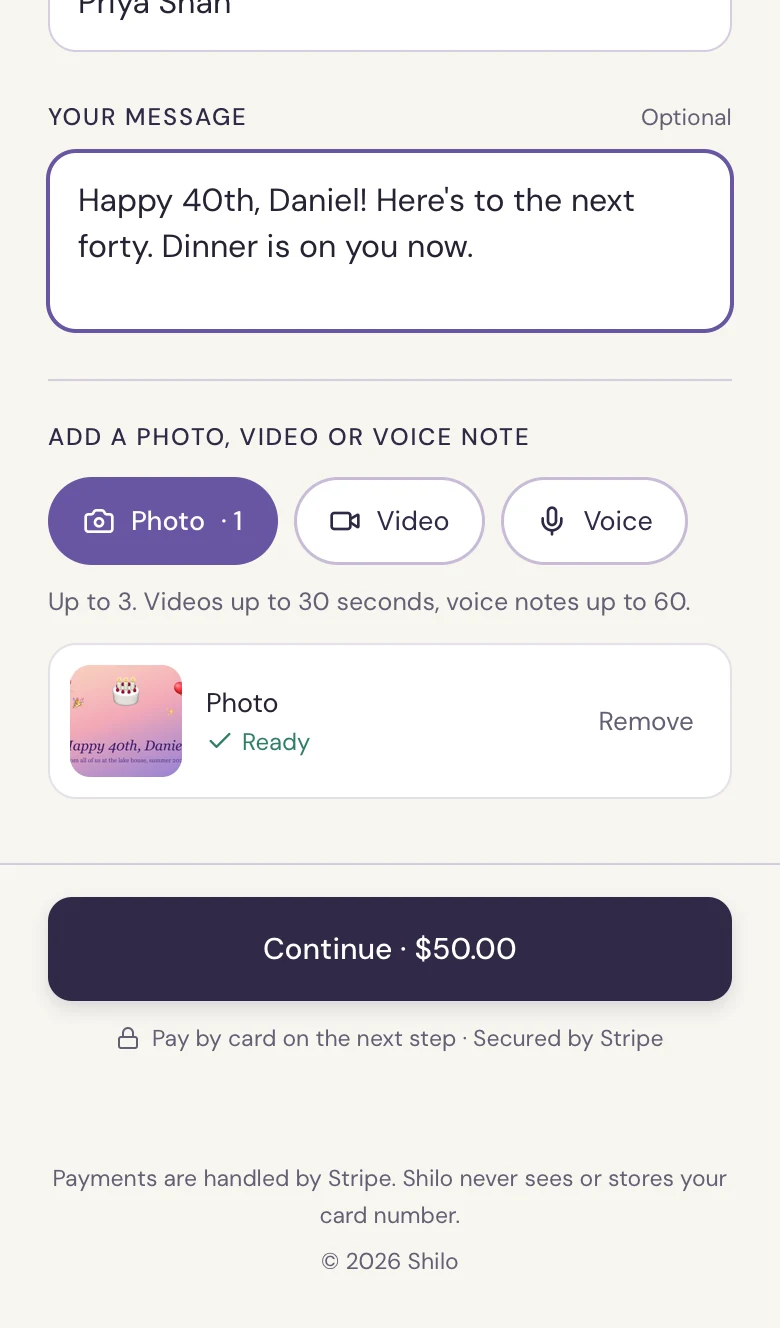
One lovely surprise.
So many reasons to smile.
When everyone’s added their part, it’s time for the best bit: a card filled with messages and memories, and a gift from the people who care.
Go on. Open the example card.A little more
about Shilo.
Good to know before you get everyone together.
What is Shilo?
Shilo brings a group gift and a personal card together. One person starts it, friends and family chip in and add their messages, photos, videos or voice notes, and the recipient gets a card filled with everyone’s wishes.
Does everyone need the app?
No. The organizer starts and manages the gift on this site or in the Shilo app. Guests open the link in their invitation, or enter its 6-digit code on this site, and contribute in a browser, without downloading the app or creating an account.
How does the recipient receive the money?
The gift is addressed to the recipient, not the organizer. The recipient confirms their email and completes Stripe’s identity and bank setup. After the organizer closes the gift, the transfer waits until the funds and recipient account are ready.
Are there fees?
Yes. Payment processing and Shilo service fees apply. The gift flow shows the fee breakdown before payment, and a guest can choose to cover estimated fees. The organizer can review what the recipient will receive before closing the gift.
Make their day.
All of you.
A thoughtful gift. A card full of love.
A little closer, wherever you are.